# Forgit and Lazygit. The 2 Git tools to supercharge your git workflow?
Most of us use version control systems (mostly git) for our projects but the `git` CLI is unproductive. We often need to run multiple commands and got to type more characters.
Well, what if I told you there are tools that can improve this significantly. We are going to be looking at 2 tools today, [forgit](https://github.com/wfxr/forgit) and [lazygit](https://github.com/jesseduffield/lazygit). Both of these tools let us do many of our day-to-day git tasks, interactively and come with a LOT of keyboard shortcuts.
## Forgit
[Forgit](https://github.com/wfxr/forgit), a simple and lightweight wrapper around git commands which uses [fzf](https://github.com/junegunn/fzf) to provide interactivity to git commands (and some more goodies :D).
For example, this is how the `ga` (`git add` equivalent) looks like -
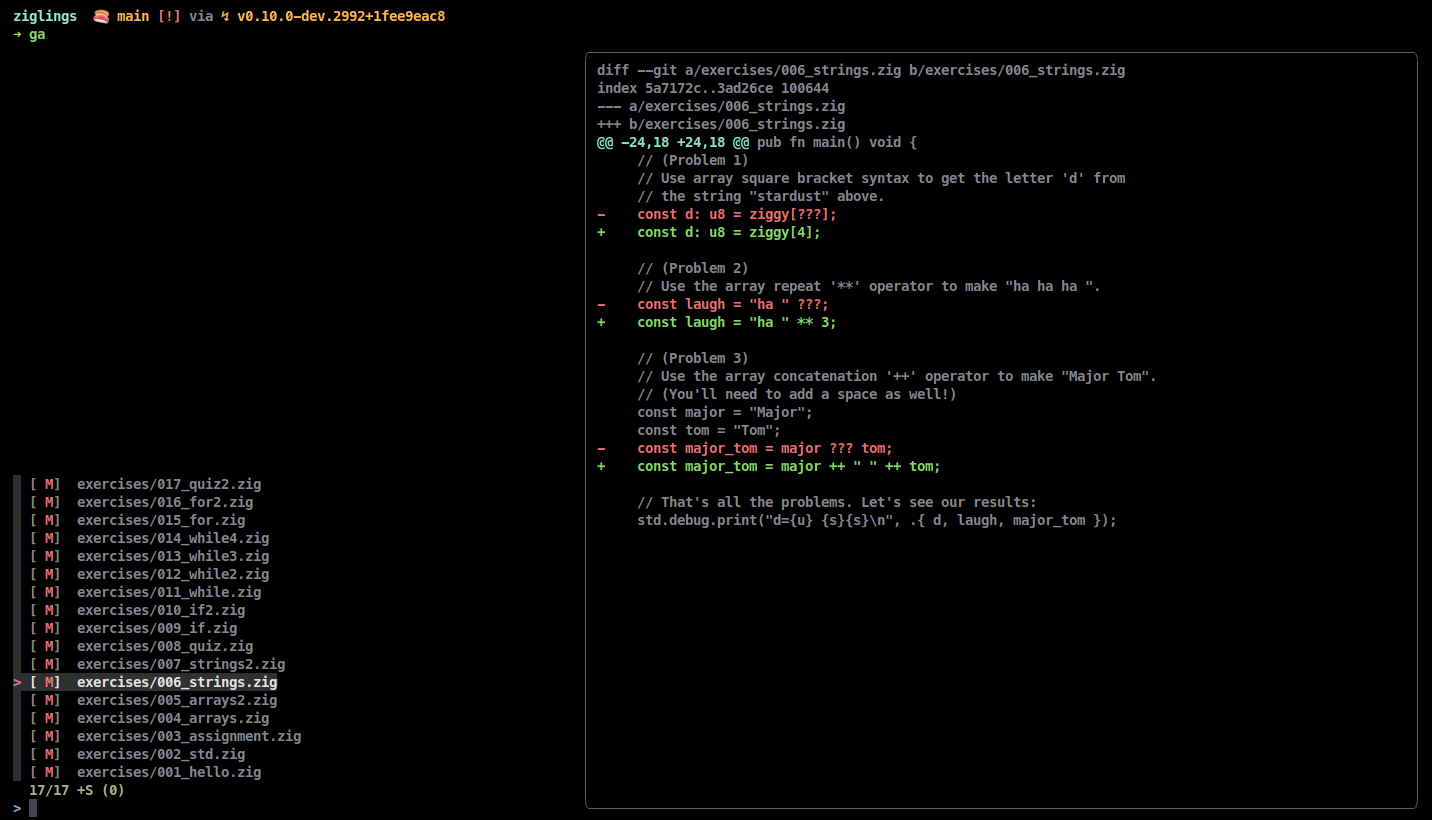
YES, that is a diff view!
Oh and it is not limited to just staging files, there are many more interactive commands (each with its own alias :D )
Want to explore all the previous git commits? Run `glo` -
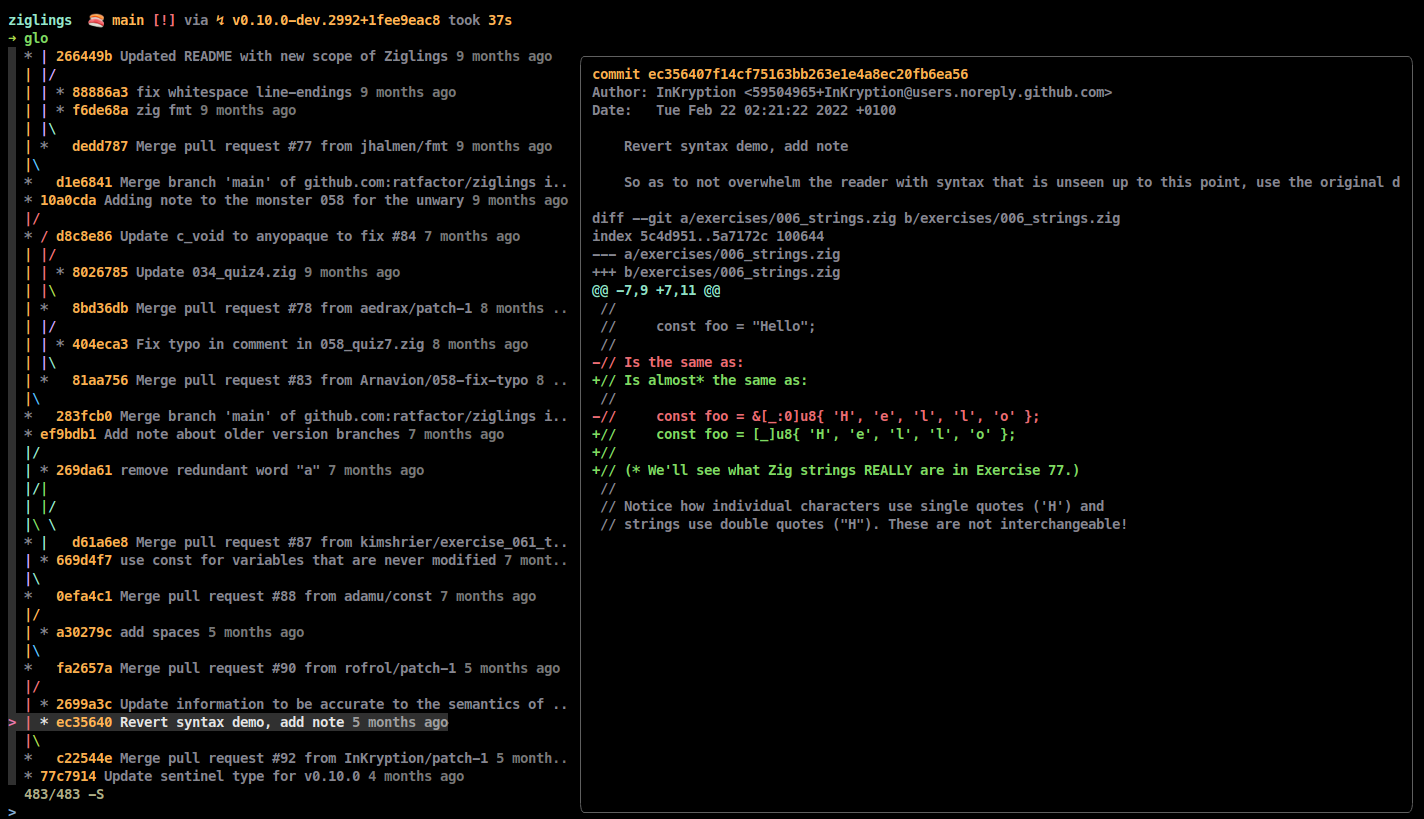
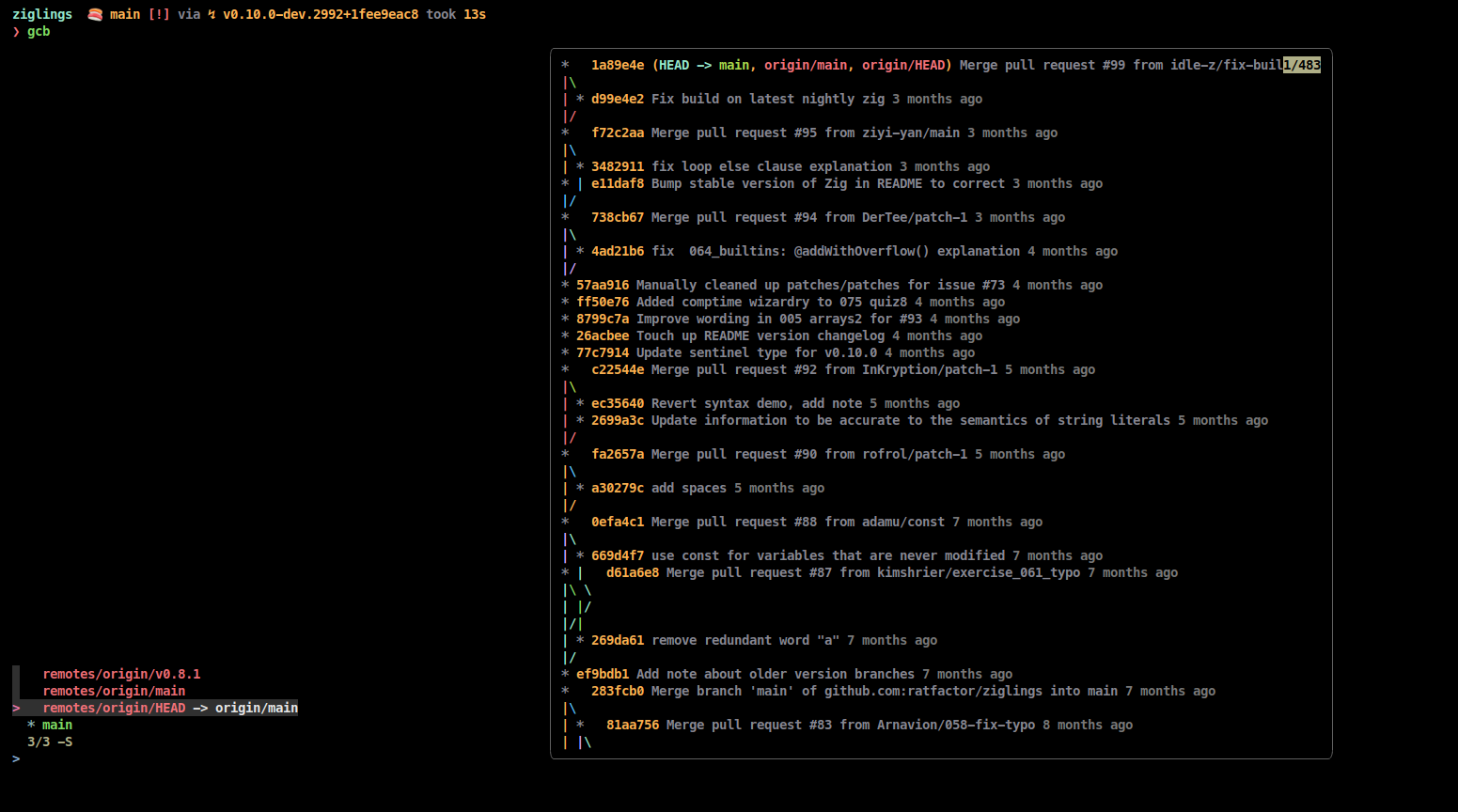
Want to see the list of branches and checkout to the appropriate one? Use `gcb` -
And there are more! For a full list, you can see the [features section in the forgit README](https://github.com/wfxr/forgit#-features)
## Lazygit
[Lazygit](https://github.com/jesseduffield/lazygit) on the other hand is a TUI written in Go and is crazy powerful. This is how it looks like -
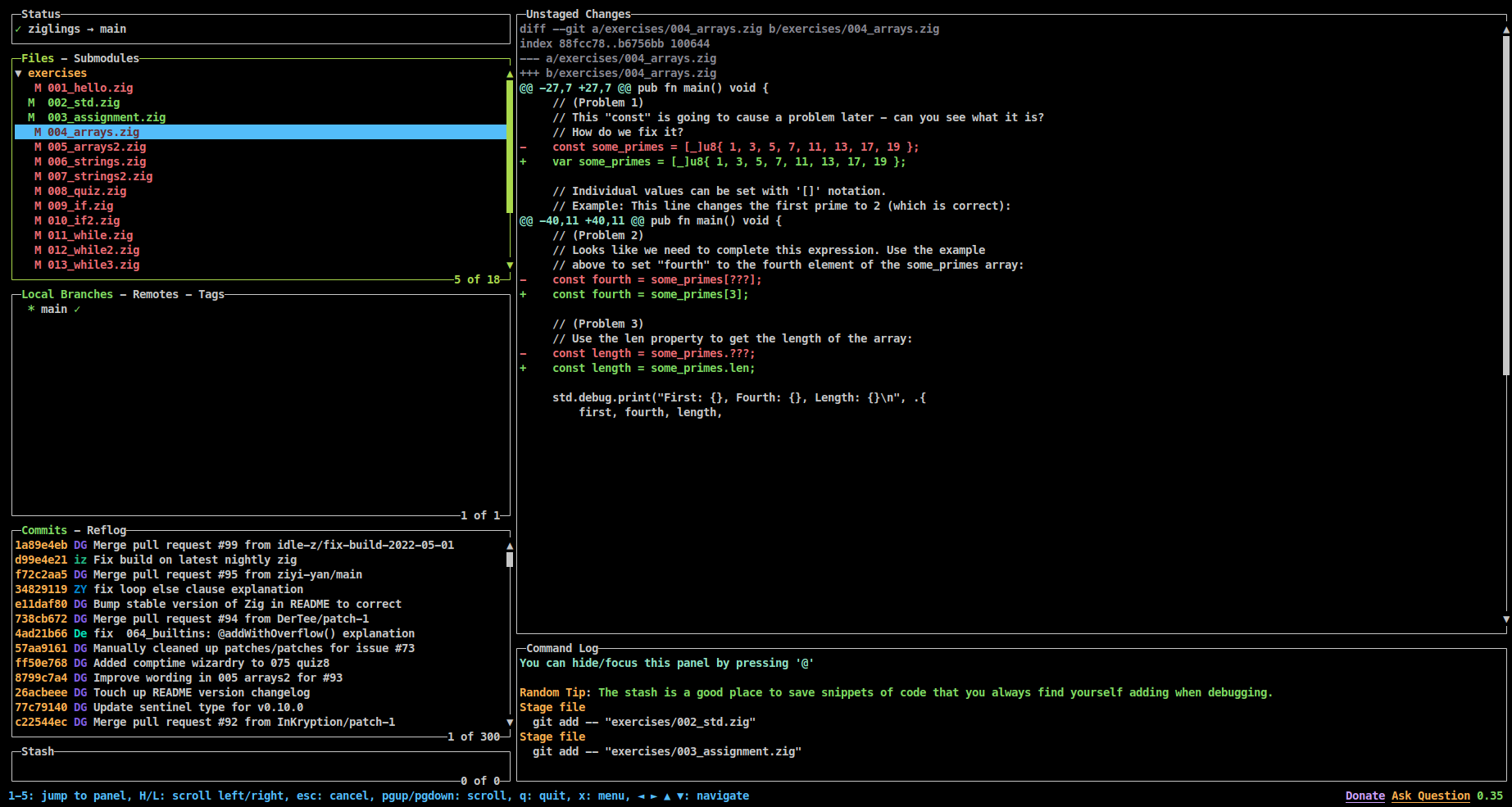
Yeah those are a lot of panes indeed. Files can be staged/unstaged easily by pressing Space and pressing c brings up a modal for writing a commit message -
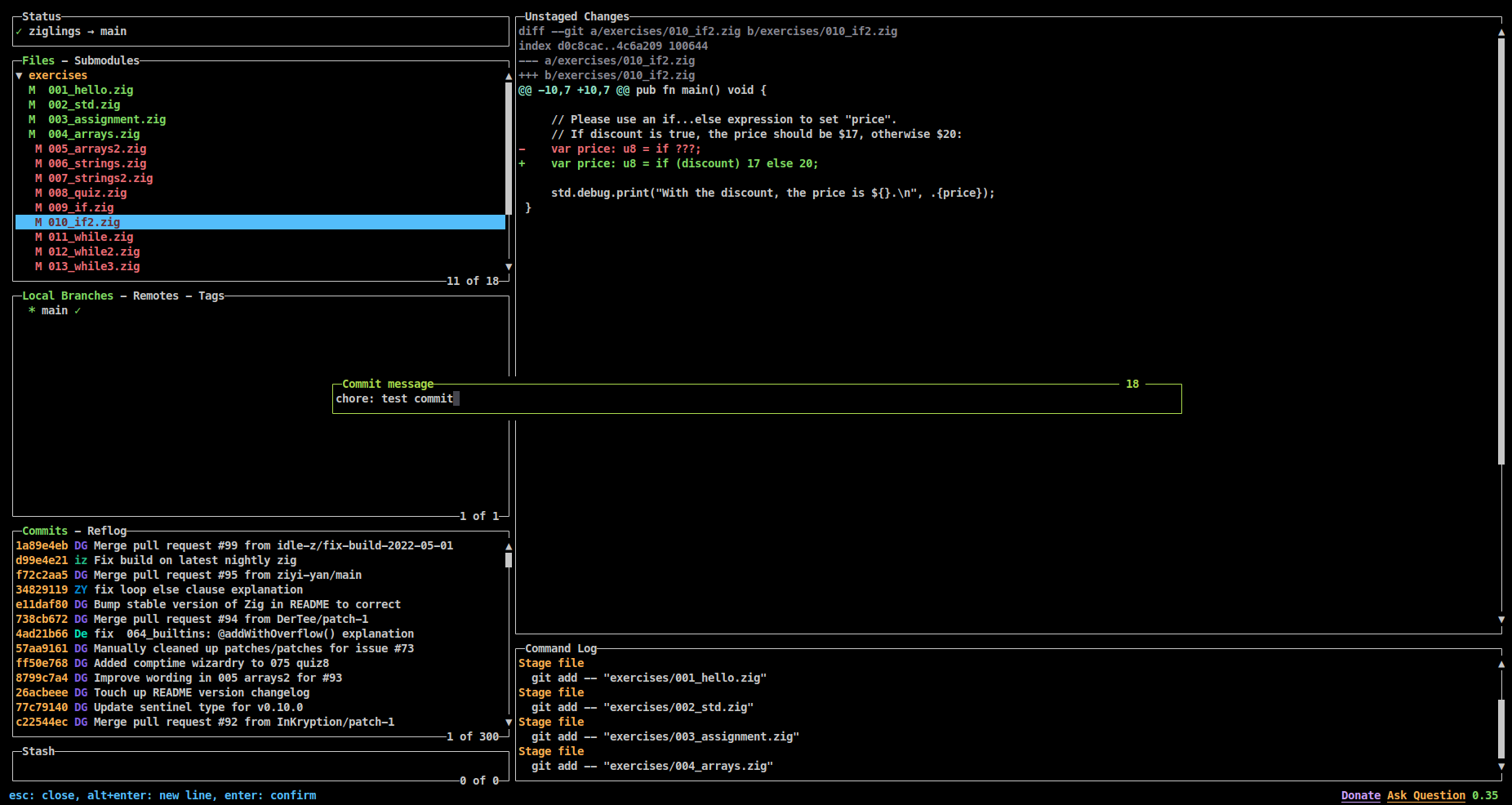
Once you are done writing the commit message, press Enter and the changes get committed :D
Oh and we can see a log of everything we do as well as any command output -
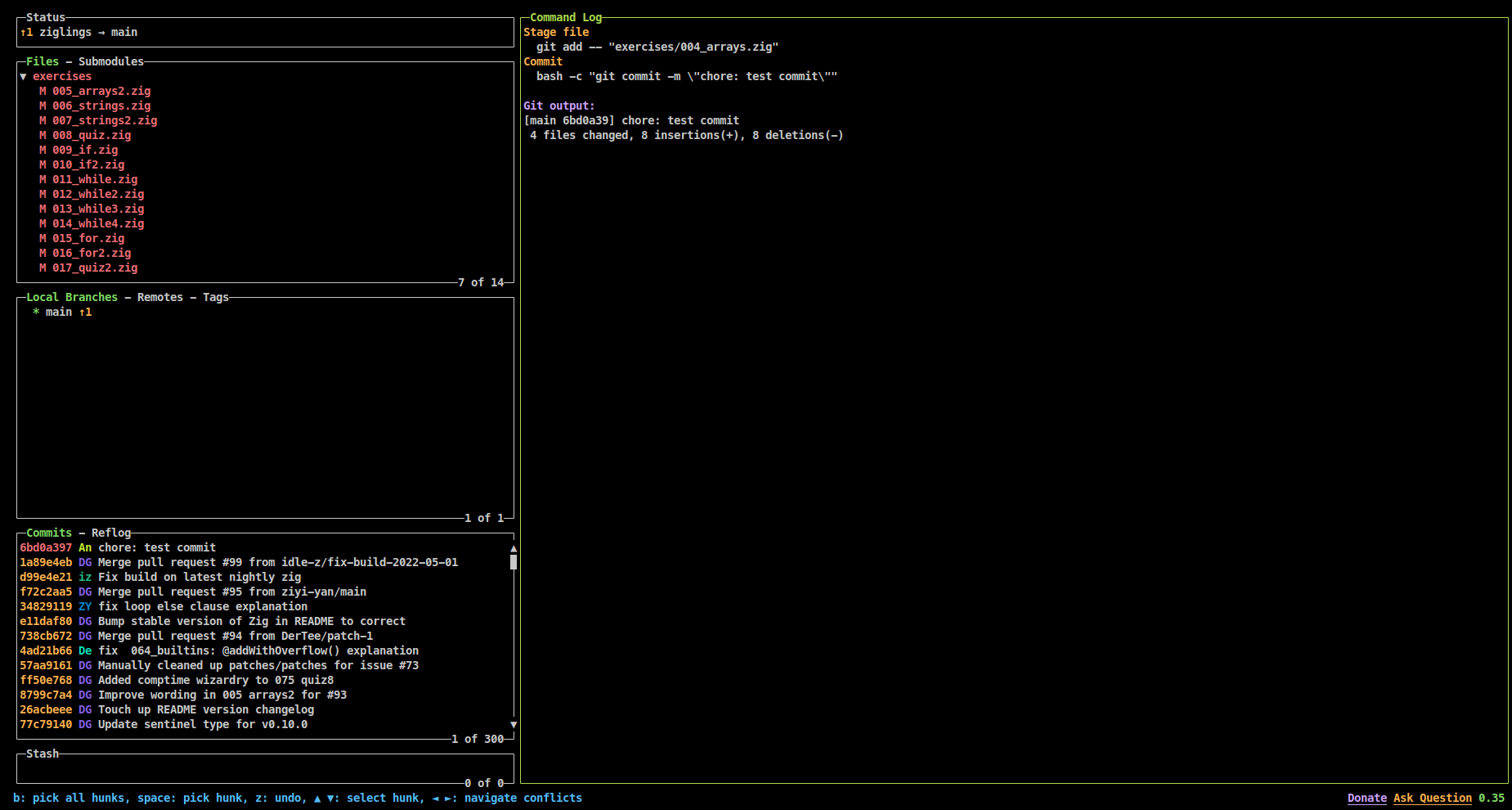
And for all of us who hate using the mouse (although lazygit has mouse support), there are a TON of keyboard shortcuts -
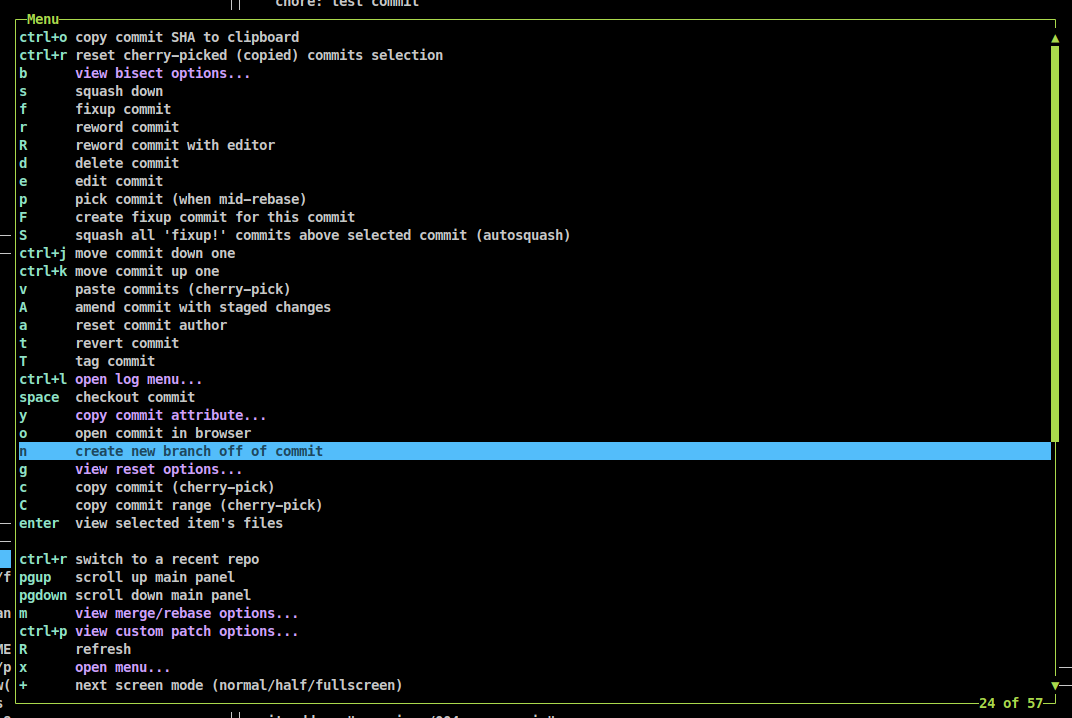
You can see look at some more things it can do (like resolving merge conflicts and interactive rebasing) in the [lazygit README](https://github.com/jesseduffield/lazygit#cool-features).
## Conclusion
So, which one should you use? This depends on your use case and how you want to use the tools.
I personally use the git CLI, forgit, lazygit, and the vscode source control panel depending on what I'm doing. I always use lazygit inside neovim but when I am using vscode, it is mostly forgit and the git CLI (I rarely use the source control pane).
## Links
- [Forgit](https://github.com/wfxr/forgit)
- [Lazygit](https://github.com/jesseduffield/lazygit)