GitHub allowed us to make pre-build issue templates in the form of markdown files which the person reporting the bug could fill out. This was better than presenting the person reporting the bug with a blank textbox but it could get a bit clumsy at times and many wouldn't follow the format. GitHub now has got an option to build a form that one can fill out as a bug report. Note that Issue forms are in beta currently.
Getting Started
GitHub Issue forms are currently only available for public repositories so we need a public repository to work with.
Next, we need to create a folder called .github/ISSUE_TEMPLATE and then add a yml file. Let us call this bug_report.yml.
Our path will be .github/ISSUE_TEMPLATE/bug_report.yml.
Filling out the template yml file
We are going to make a simple form to file a bug report so let's get started
First, let us add a name:
name: 🐛Bug Report
We will also add a description, title, and some labels
description: File a bug report here
title: "[BUG]: "
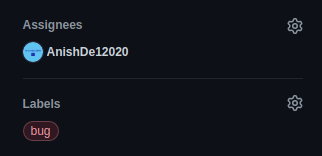
labels: ["bug"]
We can also add an assignee (this is optional) -
assignees: ["AnishDe12020"]
Now that we are done with metadata, let us start with the body of the issue -
Let us start with adding a small text -
body:
  - type: markdown
    attributes:
      value: |
        Thanks for taking the time to fill out this bug report!!!
We don't want the user to file a bug report if a report for that bug already exists so let us add a checkbox
 - type: checkboxes
    id: new-bug
    attributes:
      label: Is there an existing issue for this?
      description: Please search to see if an issue already exists for the bug you encountered.
      options:
      - label: I have searched the existing issues
        required: true
Here we have specified the type as a checkbox and added the label parameter and description attributes. We have then added a label parameter to the checkbox and made it a required field as we always want it to be checked by the user.
Now let us ask the user for a description of the bug -
  - type: textarea
    id: bug-description
    attributes:
      label: Description of the bug
      description: Tell us what bug you encountered and what should have happened
    validations:
      required: true
Notice how we add an id to the field (this is optional) and we have also added a description attribute. We can also add a placeholder attribute but let us leave that for this one. We have also made the field required by setting the required parameter to true in the validations section. The label attribute is the only required parameter.
We can also ask them to tell is the steps to reproduce the bug
  - type: textarea
    id: steps-to-reproduce
    attributes:
      label: Steps To Reproduce
      description: Steps to reproduce the behavior.
      placeholder: Please write the steps in a list form
    validations:
      required: true
This is similar to the bug-report field but we have added a placeholder this time.
Now let us see how we can add a dropdown. Say we got 5 versions of our apps and want the users to tell us in which version of the app the issue is occurring. We will also give them the option to choose multiple versions in case the issue is occurring on more than 1 version
  - type: dropdown
    id: versions
    attributes:
      label: Which version of the app are you using?
      description: If this issue is occurring on more than 1 version of the app, select the appropriate versions.
      multiple: true
      options:
       - 1.0.0
       - 1.1.0
       - 1.2.0
       - 2.0.0
       - 2.1.0
    validations:
      required: true
At last, this is how our bug_report.yml should look like -
name: 🐛Bug Report
description: File a bug report here
title: "[BUG]: "
labels: ["bug"]
assignees: ["AnishDe12020"]
body:
  - type: markdown
    attributes:
      value: |
        Thanks for taking the time to fill out this bug report!!!
  - type: checkboxes
    id: new-bug
    attributes:
      label: Is there an existing issue for this?
      description: Please search to see if an issue already exists for the bug you encountered.
      options:
      - label: I have searched the existing issues
        required: true
  - type: textarea
    id: bug-description
    attributes:
      label: Description of the bug
      description: Tell us what bug you encountered and what should have happened
    validations:
      required: true
  - type: textarea
    id: steps-to-reproduce
    attributes:
      label: Steps To Reproduce
      description: Steps to reproduce the behavior.
      placeholder: Please write the steps in a list form
    validations:
      required: true
  - type: dropdown
    id: versions
    attributes:
      label: Which version of the app are you using?
      description: If this issue is occurring on more than 1 version of the app, select the appropriate versions.
      multiple: true
      options:
       - 1.0.0
       - 1.1.0
       - 1.2.0
       - 2.0.0
       - 2.1.0
    validations:
      required: true
Now you should commit the file.
Now if we try to create an issue, we will be presented with this page -

We would see multiple options if we made more templates but we have only one right now so let us see if it works
Notice how the label and assignee has been added -
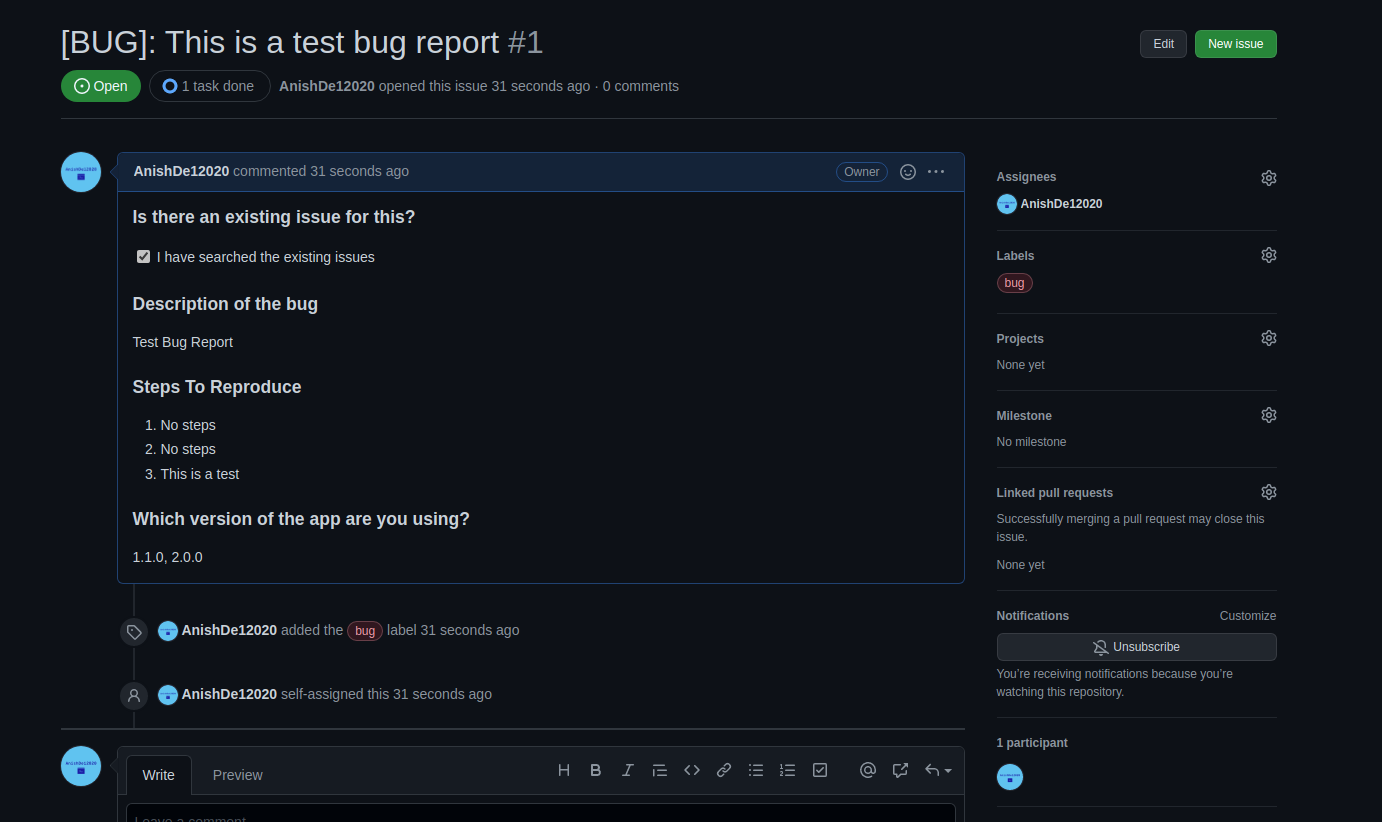
On submitting the issue, it will be created like any other issue -
You can see the repository for this tutorial here
You can also see the schema for GitHub issue forms here
About the author
I am a high school student, small YouTuber and a developer and recently a blogger too!!!
Comments
Join the discussionNo comments yet. Be the first to comment.